


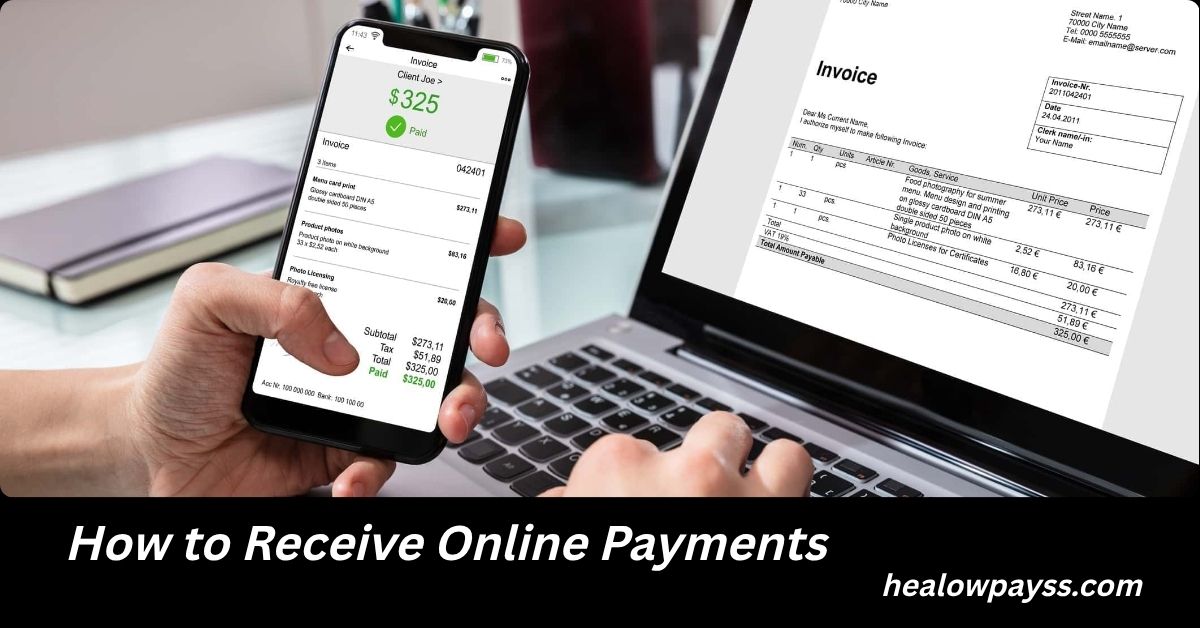
Learning how to receive online payments is one of the most important skills for modern businesses, freelancers, consultants, eCommerce stores, content creators, and service providers. As more consumers prefer digital transactions over cash, having a reliable payment system can directly impact your revenue, customer experience, and business growth.
Whether you are running a small online store, selling digital products, offering professional services, or managing a growing company, understanding how to receive online payments efficiently can help you get paid faster, reduce transaction issues, and build trust with customers.
Today, customers expect multiple payment options. They want to pay using credit cards, debit cards, digital wallets, bank transfers, Buy Now Pay Later services, and mobile payment apps. Businesses that fail to provide these options often lose sales opportunities.
This comprehensive guide explains everything you need to know about how to receive online payments, including payment gateways, merchant accounts, security practices, QuickBooks Online payment processing, free payment methods, and strategies to maximize payment success rates.
Why Online Payments Matter More Than Ever
The digital economy continues to expand rapidly across the United States and around the world. Consumers increasingly purchase products and services online because it is fast, convenient, and secure.
Businesses that accept online payments enjoy several advantages:
- Faster cash flow
- Improved customer convenience
- Better sales conversion rates
- Reduced paperwork
- Automated accounting processes
- Easier tracking of transactions
- Greater business scalability
- Access to global customers
Online payments are no longer optional. They have become a core requirement for businesses that want to remain competitive.

Understanding How Online Payments Work
Before learning how to receive online payments, it is important to understand the process behind a digital transaction.
When a customer submits payment online, several systems work together:
- Customer enters payment information.
- Payment gateway encrypts the data.
- Payment processor communicates with the customer’s bank.
- The bank approves or declines the transaction.
- Funds are transferred to the merchant account.
- Money is deposited into the business bank account.
This entire process typically happens within seconds.
The customer sees a simple payment form, but behind the scenes, sophisticated technology ensures security and reliability.
Different Ways to Receive Online Payments
Businesses can receive payments through several methods. Choosing the right option depends on your industry, customer preferences, and business model.
Credit and Debit Card Payments
Credit and debit cards remain among the most common online payment methods.
Benefits include:
- Widely accepted
- Fast processing
- High customer trust
- Easy integration with websites
Most businesses should accept major card networks to maximize sales opportunities.
Also Read: How to Use Visa Gift Card Online for Partial Payment: The Complete Guide for Smart Online Shoppers
Digital Wallet Payments
Digital wallets continue growing in popularity.
Examples include:
- Apple Pay
- Google Pay
- PayPal
- Samsung Wallet
Digital wallets offer:
- Faster checkout experiences
- Enhanced security
- Mobile-friendly transactions
- Higher conversion rates
Customers appreciate not having to enter card details repeatedly.
Bank Transfers
Many businesses receive payments directly through bank transfers.
Advantages include:
- Lower fees
- Secure transactions
- Suitable for large payments
- Popular among B2B companies
Bank transfers are particularly useful for consultants, agencies, contractors, and professional service providers.
Payment Links
Payment links allow businesses to receive payments without building a website.
A payment link can be:
- Sent by email
- Shared through text messages
- Posted on social media
- Embedded in invoices
This option is ideal for freelancers and small businesses.
Mobile Payment Apps
Mobile payment solutions continue gaining adoption.
Benefits include:
- Fast transfers
- Easy setup
- Convenient customer experience
- Real-time payment notifications
Many small businesses rely on mobile payment apps to simplify transactions.
How to Receive Online Payments Through Your Website
For many businesses, a website serves as the primary sales channel.
Step 1: Choose a Payment Gateway
A payment gateway securely processes customer transactions.
Key factors to evaluate include:
- Transaction fees
- Security features
- Supported payment methods
- Ease of integration
- Customer support
- International payment support
The best gateway depends on your specific business requirements.
Step 2: Create a Merchant Account
A merchant account temporarily holds customer payments before transferring them to your business bank account.
Some providers combine merchant services and payment processing into a single solution, making setup easier for beginners.
Step 3: Install Payment Processing Tools
Most modern platforms provide built-in integrations.
Popular website platforms often allow merchants to activate payment processing with minimal technical expertise.
Step 4: Test Transactions
Before accepting real customer payments:
- Verify checkout functionality
- Confirm payment notifications
- Test refund procedures
- Review security settings
Testing helps prevent revenue loss and customer frustration.
How to Receive Online Payments for Free
Many entrepreneurs search for how to receive payments online for free.
While most payment processors charge transaction fees, some methods reduce or eliminate costs.
Direct Bank Transfers
Bank transfers often have minimal fees compared to card transactions.
This option works especially well for:
- Consultants
- Freelancers
- Agencies
- Coaches
- Professional services
ACH Payments
ACH payments typically cost less than credit card processing.
Benefits include:
- Lower transaction costs
- Reliable transfers
- Suitable for recurring billing
- Popular in the United States
Free Invoice Payment Options
Some platforms allow businesses to send invoices with basic payment functionality at no monthly cost.
You may still pay transaction fees, but there are no setup charges.
Customer-Paid Processing Fees
Some businesses structure pricing so payment processing costs are reflected within service pricing.
This approach can help offset transaction expenses while maintaining profitability.
Choosing the Best Online Payment Solution
Not all payment solutions are created equal.
Consider these factors before making a decision.
Security
Security should always be the top priority.
Look for:
- SSL encryption
- PCI compliance
- Fraud detection tools
- Two-factor authentication
- Tokenization technology
A secure payment system protects both businesses and customers.
Transaction Costs
Payment fees directly impact profitability.
Evaluate:
- Processing fees
- Monthly charges
- Chargeback fees
- International transaction fees
- Currency conversion fees
Even small differences can significantly affect long-term revenue.
Customer Experience
Complicated checkout processes reduce conversion rates.
The best systems provide:
- Fast checkout
- Mobile optimization
- Multiple payment methods
- Simple navigation
Reducing friction often increases completed purchases.
Scalability
Choose a system capable of growing with your business.
A scalable solution supports:
- Higher transaction volume
- International expansion
- Recurring billing
- Subscription services
- Multi-channel sales
How to Receive Payments in QuickBooks Online
Many businesses use QuickBooks Online for accounting and payment management.
Understanding how to receive payments in QuickBooks Online can improve cash flow and simplify bookkeeping.
Setting Up QuickBooks Payments
To begin:
- Sign in to QuickBooks Online.
- Activate payment services.
- Connect your bank account.
- Configure customer payment options.
- Test payment functionality.
Once configured, customers can pay invoices electronically.
Benefits of QuickBooks Payments
Businesses enjoy several advantages:
- Faster invoice payments
- Automatic transaction recording
- Reduced manual data entry
- Improved accounting accuracy
- Better cash flow management
These benefits save time and reduce administrative workload.
How to Receive Payment on QuickBooks Online
Many users specifically ask how to receive payment on QuickBooks Online after sending invoices.
The process is straightforward.
Recording Customer Payments
When a customer pays:
- Open the invoice.
- Select Receive Payment.
- Enter payment details.
- Verify the amount received.
- Save the transaction.
QuickBooks automatically updates customer balances and accounting records.
Managing Partial Payments
Customers sometimes make partial payments.
QuickBooks Online allows businesses to:
- Track remaining balances
- Record installment payments
- Maintain accurate customer records
- Monitor overdue invoices
This flexibility helps businesses manage accounts receivable efficiently.
How to Receive Payment in QuickBooks Online Automatically
Automation is one of QuickBooks Online’s strongest features.
Businesses can configure:
- Automatic invoice reminders
- Recurring invoices
- Recurring payments
- Payment tracking
- Deposit matching
These tools reduce manual work while improving payment collection rates.
Common Challenges When Receiving Online Payments
Every business encounters payment-related challenges.
Understanding these issues helps prevent problems.
Failed Transactions
Common causes include:
- Expired cards
- Insufficient funds
- Incorrect card information
- Fraud prevention triggers
Businesses should communicate clearly when payments fail.
Chargebacks
Chargebacks occur when customers dispute transactions.
Reducing chargebacks requires:
- Clear product descriptions
- Transparent refund policies
- Strong customer support
- Accurate billing information
Fraud Attempts
Online fraud continues evolving.
Warning signs include:
- Unusual order patterns
- Mismatched billing information
- High-risk locations
- Multiple failed payment attempts
Fraud prevention tools help reduce risk.
Advanced Strategies to Increase Online Payment Success
Successful businesses do more than simply accept payments.
They optimize the payment experience.
Offer Multiple Payment Methods
Different customers prefer different payment options.
Providing flexibility increases conversion rates.
Simplify Checkout
Every extra step can reduce sales.
Focus on:
- Minimal form fields
- Mobile-friendly design
- Fast page loading
- Guest checkout options
Use Recurring Billing
Subscription businesses benefit from automated recurring payments.
Advantages include:
- Predictable revenue
- Better customer retention
- Reduced collection efforts
Monitor Payment Analytics
Data reveals valuable insights.
Track:
- Payment success rates
- Failed transactions
- Customer preferences
- Revenue trends
These insights support smarter business decisions.
The Future of Online Payments
The online payment industry continues evolving rapidly.
Emerging trends include:
- Artificial intelligence fraud detection
- Biometric authentication
- Real-time payments
- Embedded finance
- Open banking
- Cryptocurrency integration
- Voice-based transactions
Businesses that stay informed about payment innovations will be better positioned for future growth.
Also Read: Fonendi: The Complete Guide to the Digital Connection Platform Transforming Online Engagement
Conclusion
Understanding how to receive online payments is essential for businesses operating in today’s digital economy. Whether you are a freelancer, consultant, small business owner, or eCommerce entrepreneur, choosing the right payment methods can improve customer satisfaction, accelerate cash flow, and support long-term growth.
Modern businesses should focus on security, convenience, automation, and scalability when selecting payment solutions. Integrating online payment systems with accounting tools such as QuickBooks Online can further streamline financial operations and reduce administrative work.
By implementing multiple payment options, optimizing checkout experiences, and staying informed about emerging technologies, businesses can create a seamless payment process that benefits both customers and owners.
FAQs About How to Receive Online Payments
Can I receive online payments without having a business website?
Yes. Payment links, digital invoices, mobile payment apps, and email payment requests allow businesses and freelancers to receive payments without maintaining a website.
Is it possible to receive international online payments?
Yes. Many payment processors support international transactions and multiple currencies, allowing businesses to sell products and services worldwide.
How long does it take to receive online payments?
Processing times vary. Some transactions settle instantly, while others may take one to five business days depending on the payment method and provider.
What is the safest way to receive online payments?
Using a PCI-compliant payment processor with encryption, fraud monitoring, and two-factor authentication provides strong security for online transactions.
Can customers pay online without creating an account?
Yes. Many payment systems offer guest checkout options, allowing customers to complete purchases without registration.
Do online payment systems work for subscription businesses?
Yes. Most modern payment platforms support recurring billing, automatic renewals, and subscription management.
How can I reduce online payment processing costs?
Businesses can lower costs by encouraging ACH payments, negotiating rates with processors, optimizing transaction methods, and reducing chargebacks.
What should I do if a customer claims they never made a payment?
Review transaction records, verify payment details, communicate with the customer, and provide supporting documentation if necessary.
Can online payments be integrated with inventory systems?
Yes. Many payment platforms connect directly with inventory management software to update stock levels automatically after purchases.
What industries benefit most from online payments?
Almost every industry benefits, including retail, healthcare, education, consulting, professional services, digital products, software companies, and subscription-based businesses.
